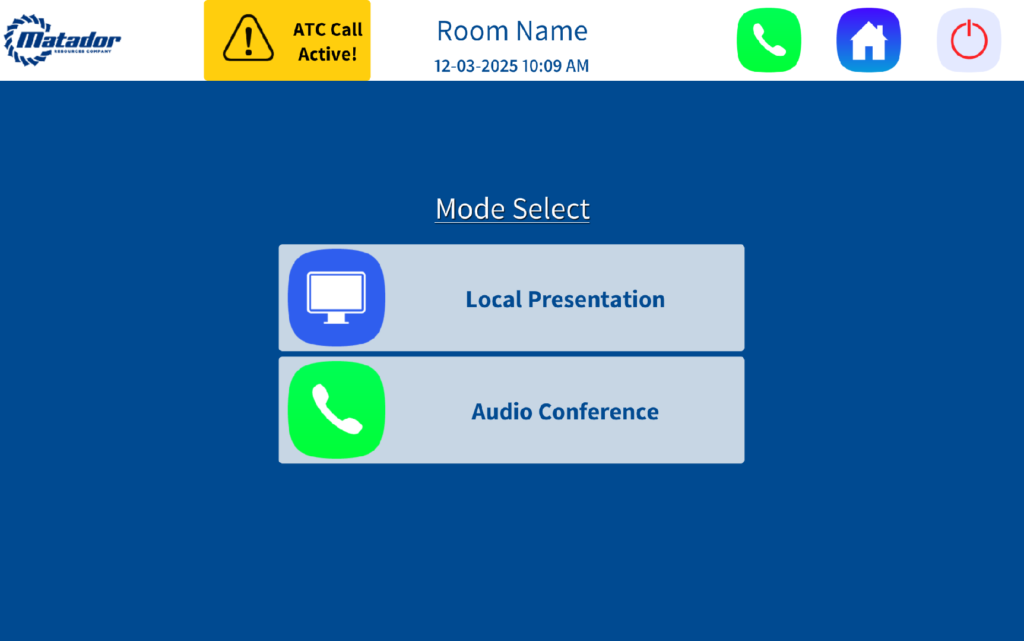
- Local Presentation: Enables display functionality for in-room presentations.
- Audio Conference: Activates audio-only mode for VoIP calls without display usage.

Conductor Digital Instructions
14th Floor
JT022530
MRC – 14th Fl – Enhanced Teams Room System Guide
Start Page
Tap anywhere on the touchscreen to initialize the system.
Mode Selection
Main Interface
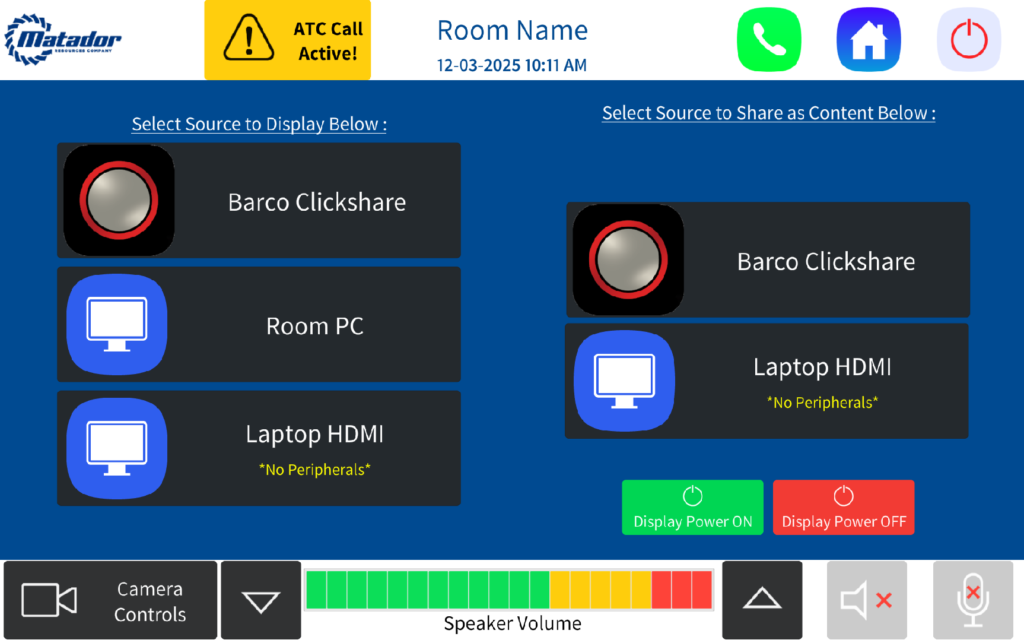
Top Navigation Bar
- Logo (Top Left): Press and hold to access hidden Admin Settings.
- ATC Call Active Indicator: Displays only when an active VoIP call is in progress.
- Phone Icon: Initiates calls via Matador VoIP system.
- Home Icon: Returns to Mode Selection screen.
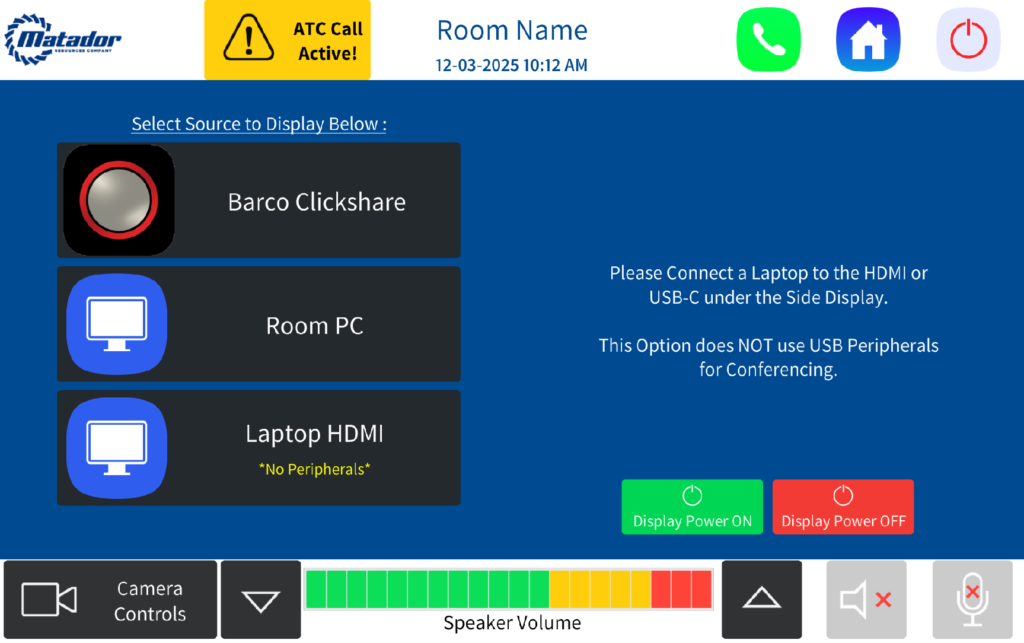
Bottom Navigation Bar
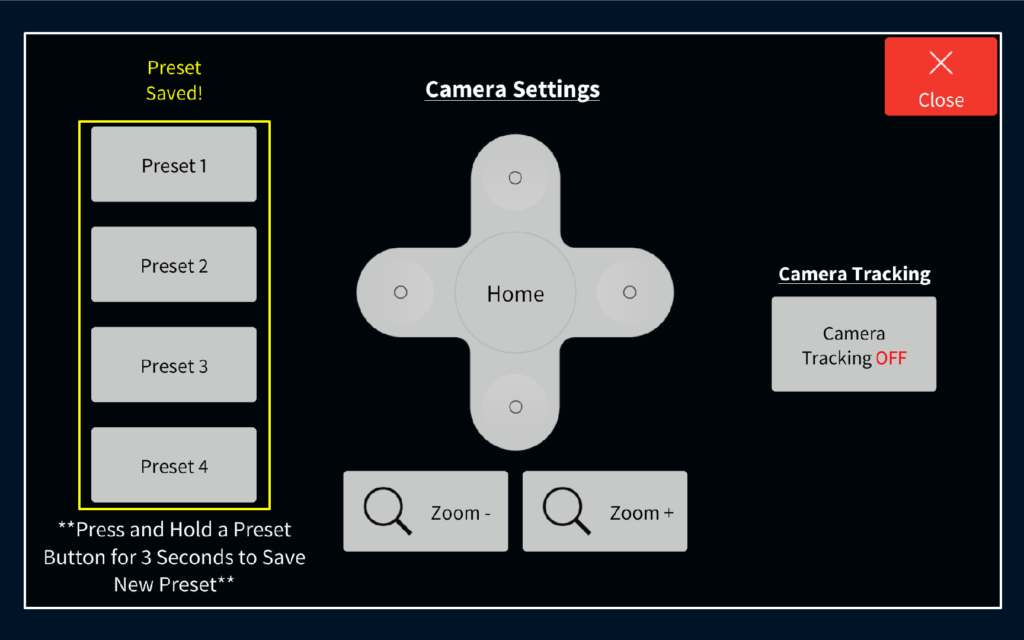
- Camera Controls: Opens camera control panel. See below graphic for text illustration:
- D-Pad for pan/tilt (left/right/up/down).
- Zoom in/out functionality.
- Home button to reset camera position.
- Auto-Tracking Toggle to enable/disable tracking
Bottom Navigation Bar
- Camera Controls: Opens camera control panel with:
- D-Pad for pan/tilt (left/right/up/down).
- Zoom in/out functionality.
- Home button to reset camera position.
- Auto-Tracking Toggle to enable/disable tracking.
- Volume Control: Adjusts in-room audio output.
- Speaker Mute: Toggles room audio ON/OFF.
- Microphone Mute: Toggles ceiling mic audio ON/OFF.
- LED Indicators:
- RED = Muted
- GREEN = Active
- LED Indicators:
Content Source Selection
- Barco ClickShare: Wireless presentation option. Connection instructions displayed upon selection.
- Room PC: Shares local content via in-room PC. This is the default source upon startup.
- After selecting, configure PC settings to use the chosen input as the camera source.
- Note: Most conferencing codecs do not support dual camera sources simultaneously. Native app sharing is recommended.
- Laptop HDMI (wall plate): Provides wired content sharing only.
- USB peripherals are not supported in this mode.
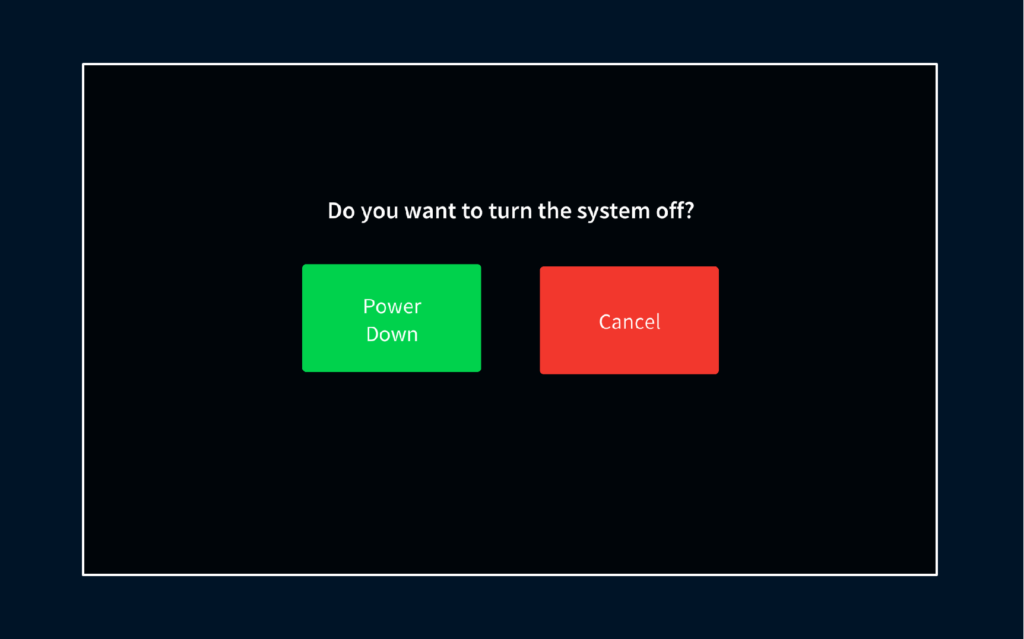
Shutdown Confirmation
- Selecting Yes powers down the system and terminates any active ATC calls.
- Selecting No cancels the shutdown and returns to the previous screen.